
Rev4A
Powering a fleet of agents — not another chatbot
REV4A · THE MISSING OPERATING LAYER FOR AI AGENTS

Stop managing agents by hand.
Run them like real infrastructure.

// Rev4A is not another AI agent.
// It is the system that runs, connects and watches them.

Deploy isolated AI agents on your own VPS in about 10 minutes — connect providers, assign credentials and manage the whole fleet from one self-hosted control plane.

Self-hosted · Provider-independent · One-command setup · No vendor lock-in

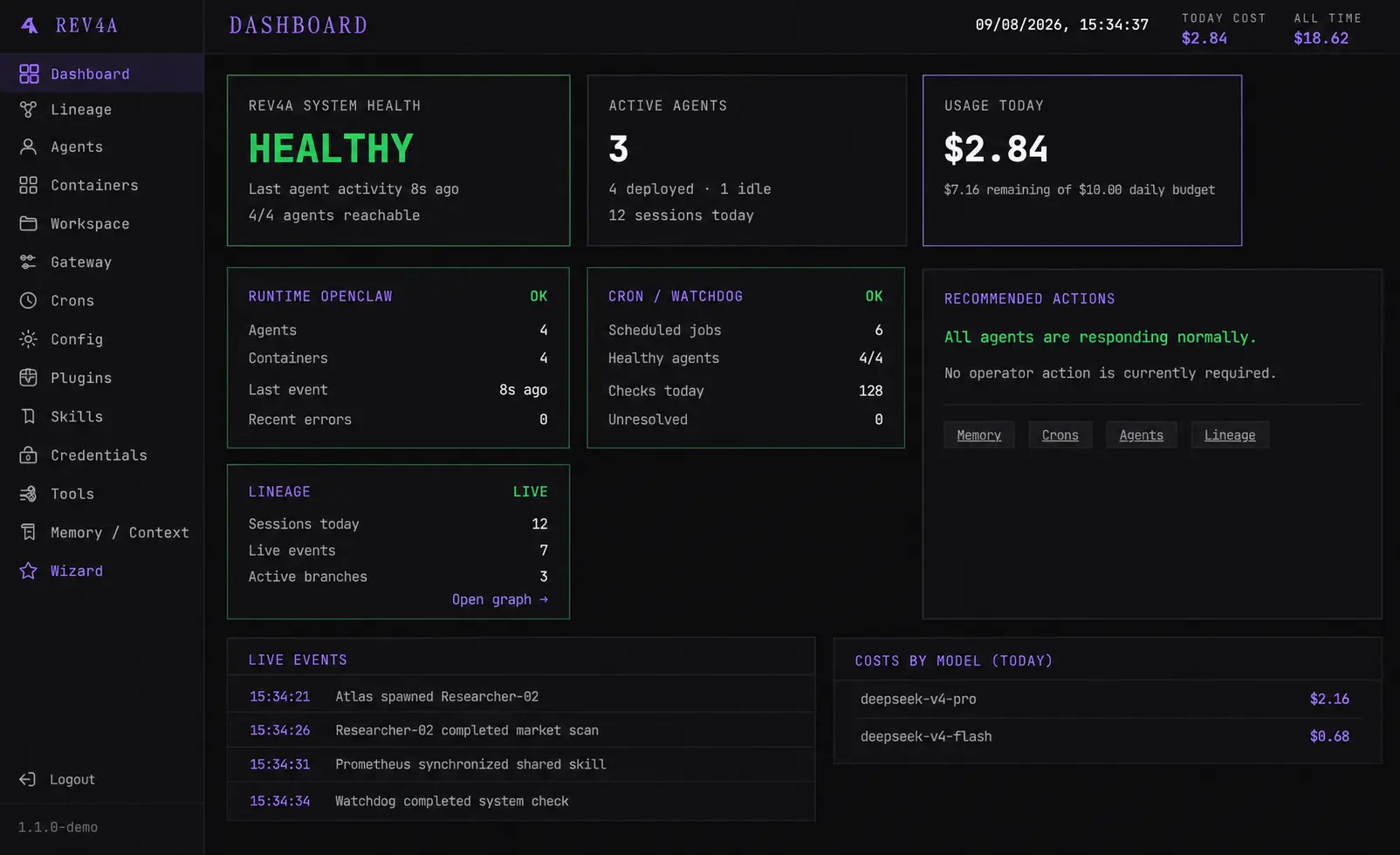
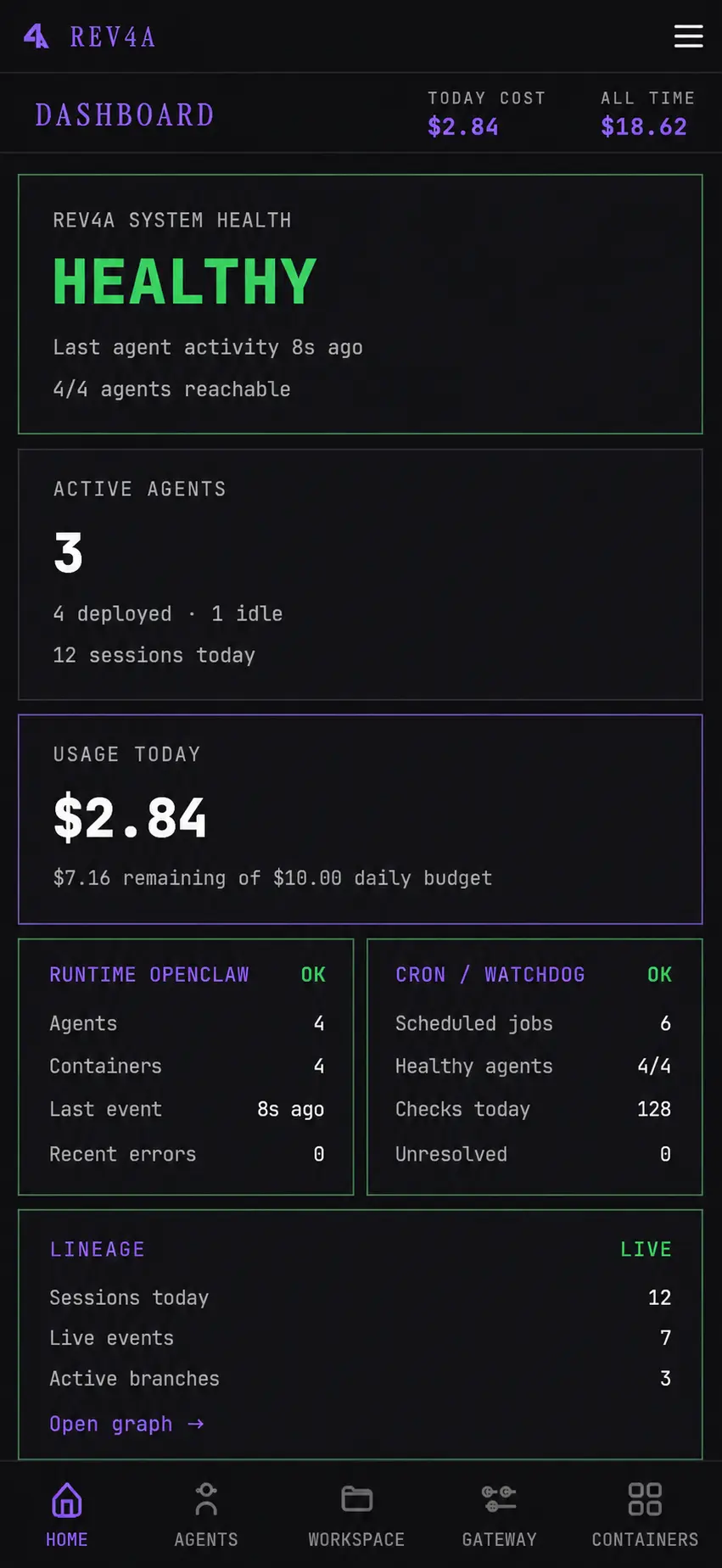
The Rev4A dashboard on desktop: system health, active agents, usage cost against a daily budget, OpenClaw runtime and cron watchdog status, lineage counters, a live event stream and per-model cost breakdown. The product interface shown in the screenshot is in English.

It was never meant to be a dashboard.
It became a control plane.

Running multiple agents in production is where it falls apart. A broken config here, shared state bleeding between agents there, credentials you type out by hand for the third time, an update that wipes a workspace you spent a week building — and no way to see what actually happened across the system.

Patch one agent and two more break. So instead of patching every agent separately, Rev4A moved the solutions into one central system — where every agent finally behaves like a real piece of infrastructure.

Broken configsIsolated containers
Repeated credentialsCentral profiles
Risky updatesBackup and recreate
Disconnected agentsOne control plane
See the real thing running.

Clips from the closed-beta build — no staged screenshots.

In Beta

Provider Gateway

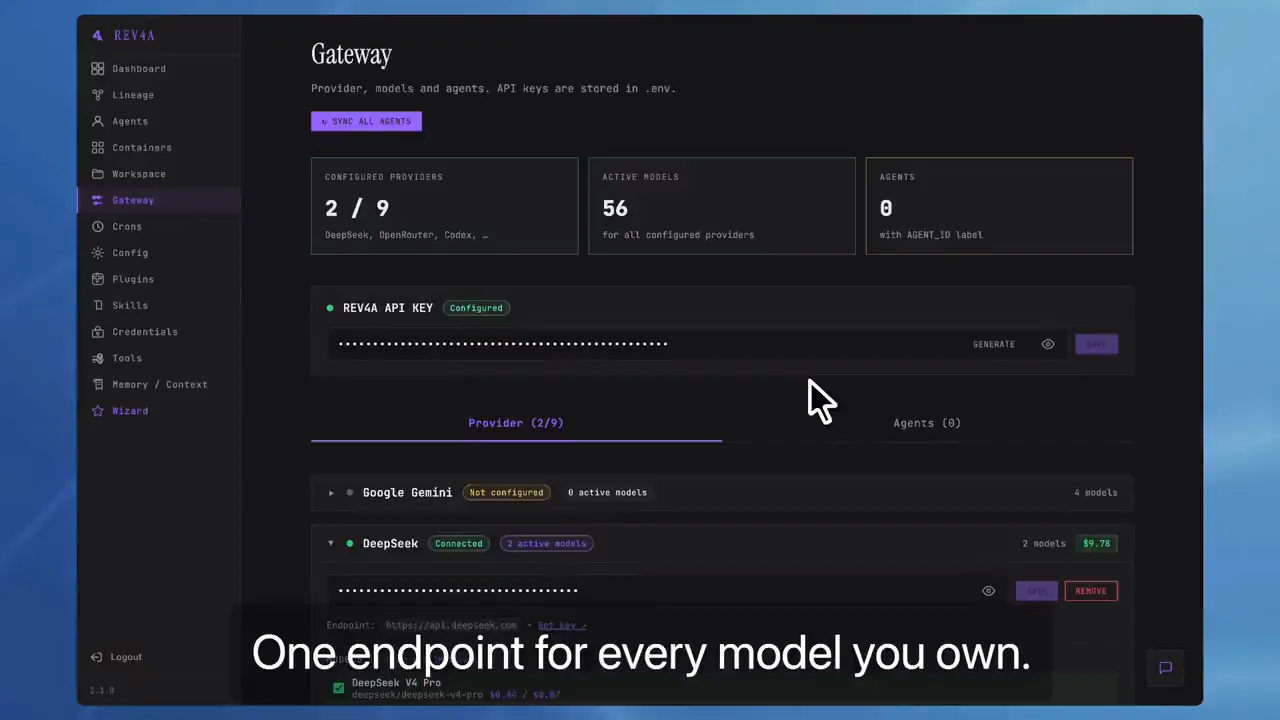
  • One endpoint for every model you own — OpenAI-compatible
  • Aggregate every provider you connect in one place
  • Check per-model pricing before you spend
  • Jump straight to each provider's key page
  • See your remaining balance where supported

Everything you need
to run an agent fleet

Rev4A is the operating layer between you and all your agents. Not a single agent — the system that deploys, connects and watches them all.

Deploy
Spin up and manage agents as isolated containers
Agent Templates

These aren't prompts — they're roles. Atlas for development, Prometheus for projects, Argus for ops. Pick a role and your agent arrives already knowing how to do the job.

In Beta
Docker Isolation

Every agent gets its own container with a persistent volume. If one goes down, the rest never notice. Update the runtime without ever erasing a workspace, a memory or a credential.

In Beta
Container Terminal

Live WebSocket terminal into any agent container. Debug and inspect right from the browser — no SSH needed.

In Beta
Connect
Wire providers, credentials and skills once
Provider Gateway

One endpoint for every model you own. Aggregate all your AI providers, set primary models and fallback chains in one place — and see pricing and remaining balance where supported.

It speaks OpenAI-compatible API: point any client, script, local app or other server at your gateway and call every model behind it with a single key.

Your gateway key is generated locally, per installation — no shared master key — and you can regenerate it anytime. Exposure stays your call: it lives on your infrastructure.

In Beta▶ Watch it running
Pulse

An assistant built into the control plane itself. Ask how something works, what a page does, or where to find what you need — Pulse runs on your own configured gateway, so it's exactly as available as the model you've connected.

Tool calls — so Pulse can act inside the dashboard, not just describe it — are next.

In Beta
Credential Profiles

Set up GitHub, Vercel, Supabase, Trello or Notion once, in profiles — then hand each agent exactly the credentials it should have. Nothing more, nothing shared by accident.

In Beta
Shared Skills

Teach one agent and the whole fleet knows it. Browse, edit and promote a workspace skill to shared with one click — no re-teaching, ever.

In Beta
Call your gateway from anywhere — OpenAI-compatible
# point any client at your gateway's single endpoint
# your gateway key is auto-generated per-installation (regenerate anytime)
curl https://YOUR-HOST/api/provider/v1/chat/completions   -H "Authorization: Bearer YOUR-GATEWAY-KEY"   -H "Content-Type: application/json"   -d '{"model": "deepseek-v4-flash", "messages": [{"role": "user", "content": "ping"}]}'
Observe
See what your agents are actually doing
Live Dashboard

Real-time sessions, status and resource usage for the entire fleet — on desktop or mobile. See what your agents are doing right now, not after something breaks.

In Beta
Central Maintenance

Restart, back up, restore and recreate agent containers from the dashboard. Update runtime software while preserving persistent agent data.

In Beta
Lineage Graph

Watch every session, every tool call, every sub-agent and every dollar spent — as a live graph of who works with who.

Coming Next
Cost Tracking

Per-session, per-model, per-day cost reports. Know exactly what your fleet costs to run — before the invoice surprises you.

Coming Next
Collaborate
Use it alone or with a team
Workspace Browser

Browse and edit each agent workspace directly from the dashboard without SSH.

In Beta
Shared Projects

Let multiple isolated agents work on the same repository — while identities, credentials and private workspaces stay strictly separate.

Coming Next
Per-Agent Access

Reach any agent from the dashboard, a dedicated link, or a bot. Control who can see and use what.

In Beta
Auto-Supervision

The supervisor spots a stuck agent, a failed sub-agent, work that stopped — and proposes the fix before you even notice.

Coming Next

From a clean VPS to your first working agent
in about 10 minutes.

01
Install Rev4A

Install the npm package on a VPS with Node.js and Docker, then run rev4a serve. No PostgreSQL, Redis or external control platform required.

02
Connect providers and credentials

Add an AI provider, enable the models you want and create credential profiles for the tools your agents will use.

03
Create your first agent

Choose a template, primary model and fallback chain. Rev4A creates the isolated container, persistent volume and runtime configuration.

▶ Watch: Create an agent
04
Start working

Open the configured agent directly or give its dedicated link to a collaborator. Maintain and observe everything from the dashboard.

Current requirements: Node.js 22+, Docker 24+ and npm 10+. Designed to run on Linux VPS — Debian and Ubuntu-based systems are currently the supported target for the control plane.

The missing operating layer for OpenClaw.

Rev4A currently deploys OpenClaw agents inside isolated Docker containers and adds the setup, credential management, maintenance and visibility required to operate them as a real fleet.

The UX OpenClaw is missing — without locking Rev4A to one runtime forever.

Hermes Agent and additional runtimes are planned next.

Agents coordinate themselves.
You coordinate agents.

Manual
Rev4A
Run multiple agents inside shared installations
One isolated container and persistent volume per agent
Repeat provider and credential setup
Central providers and per-agent credential profiles
Update containers manually
Backup, restore and recreate from one dashboard
SSH into each environment to debug
Terminal, files and logs in the browser
Discover failures after work stops
Fleet-wide visibility with supervision coming next
Your data stays yours

Rev4A is self-hosted. Your data, credentials, agents and workspaces stay on your infrastructure — never on ours.
No vendor lock-in, zero external databases, no mandatory SaaS.

The control plane is the beginning.

What ships next is where a fleet stops being a handful of agents and becomes an organization.

More Runtimes

OpenClaw today. Hermes Agent and more containerized runtimes next — so your fleet isn't married to one engine forever.

Coming Next
Subscriptions in the Gateway

The gateway aggregates pay-per-token API keys today. Next: the subscriptions you already pay for, connected right beside them, so a plan you own becomes just another model behind the same endpoint.

Coming Next
Shared Projects

Multiple agents, one repository, zero crossed wires: they work together without ever stepping on each other's secrets.

Coming Next
Operational Graph

See the whole system think: sessions, tool calls, sub-agents and costs flowing as one living graph.

Coming Next
AI Supervisor

An operator that watches the fleet for you and flags the agent that's silently stuck before it costs you a day.

Coming Next

Today the control plane is designed to run on Linux VPS — the kind you rent in the cloud — on Debian and Ubuntu-based systems. Native desktop apps for Windows, macOS and Linux are planned next, so you can manage your fleet from a graphical interface while still self-hosted on your own infrastructure.

Join the closed beta

We're onboarding a small group of developers and teams to shape and harden Rev4A before public launch. If selected, you'll receive instructions by email to access and install the private npm package.

Loading beta access form…
Open-source release (MIT) coming soon