Rev4A
Closed Beta · Public MIT release coming soon
REV4A · REVOLUTION FOR AGENTS

Your agents.
Your infrastructure.
One control plane.

Go from a clean VPS to a fully configured AI agent in about 10 minutes. Connect your providers, assign credentials, deploy isolated containers and manage everything from one self-hosted dashboard.

// rev4a is not another AI agent. It is the system that runs, connects and watches them.

Open source · Self-hosted · Provider-independent · One-command setup · No vendor lock-in

rev4a dashboardProduct Preview 3 agents online
Dashboard
Lineage
Agents
Containers
Workspace
Gateway
Credentials
Skills
Active Sessions
4
Agents Online
3
Configured Providers
4
Shared Skills
18
atlasdeepseek · dev lead · working
prometheusclaude · pm · idle
argusgemini · ops · monitoring

It was never meant to be a dashboard.
It became a control plane.

Rev4A started after running multiple OpenClaw agents in production and hitting the same problems over and over again: broken configurations, shared state between agents, manual credential setup, unsafe updates, and no real way to understand or control what was happening across the system.

Instead of patching every agent separately, Rev4A moved the solutions into one central system.

Broken configsIsolated containers
Repeated credentialsCentral profiles
Risky updatesBackup and recreate
Disconnected agentsOne control plane
Everything you need
to run an agent fleet

rev4a is the operating layer between you and all your agents. Not a single agent — the system that deploys, connects and watches them all.

Deploy
Spin up and manage agents as isolated containers
Agent Templates

Atlas for development, Prometheus for projects, Argus for ops. Pick a template and your agent is ready in minutes.

In Beta
Docker Isolation

Every agent runs in its own isolated container with a persistent data volume. Runtime updates never need to erase its workspace, memory or credentials.

In Beta
Container Terminal

Live WebSocket terminal into any agent container. Debug and inspect right from the browser — no SSH needed.

In Beta
Connect
Wire providers, credentials and skills once
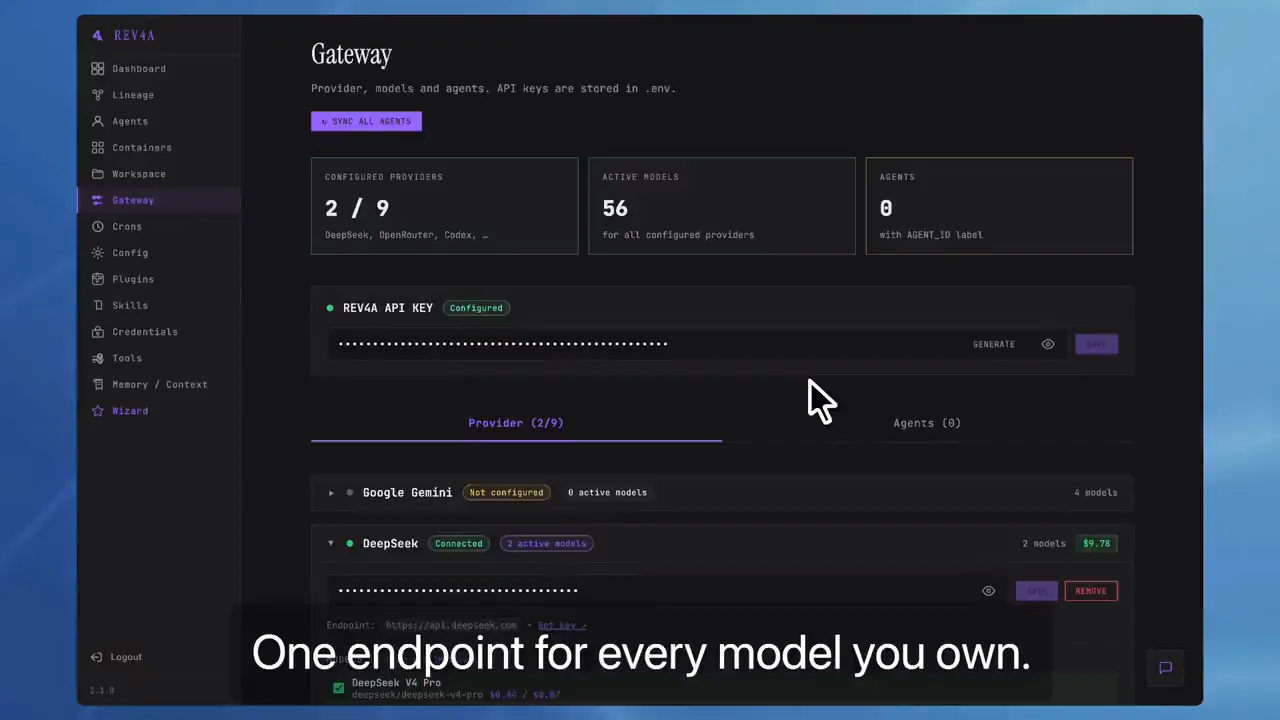
Provider Gateway

One aggregator for all your AI providers and models — keys, primary models and fallback chains managed in one place. Review pricing and remaining balance where supported.

The gateway also exposes an OpenAI-compatible API: point any client — your own scripts, local apps, other servers — at your gateway and call the models inside it with a single key.

Every installation generates its own unique gateway key locally — no shared master key — and you can regenerate or set it anytime. Exposure stays your call: it lives on your infrastructure.

In Beta
Credential Profiles

Create multiple profiles for services such as GitHub, Vercel, Supabase, Trello and Notion, then assign each profile only to the agents that should receive it.

In Beta
Shared Skills

Teach one agent, then share the result with the entire fleet. Browse local, bundled and shared skills, edit them centrally and promote a workspace skill to shared with one click.

In Beta
Call your gateway from anywhere — OpenAI-compatible
# point any client at your gateway's single endpoint
# your gateway key is auto-generated per-installation (regenerate anytime)
curl https://YOUR-HOST/api/provider/v1/chat/completions   -H "Authorization: Bearer YOUR-GATEWAY-KEY"   -H "Content-Type: application/json"   -d '{"model": "deepseek-v4-flash", "messages": [{"role": "user", "content": "ping"}]}'
Observe
See what your agents are actually doing
Live Dashboard

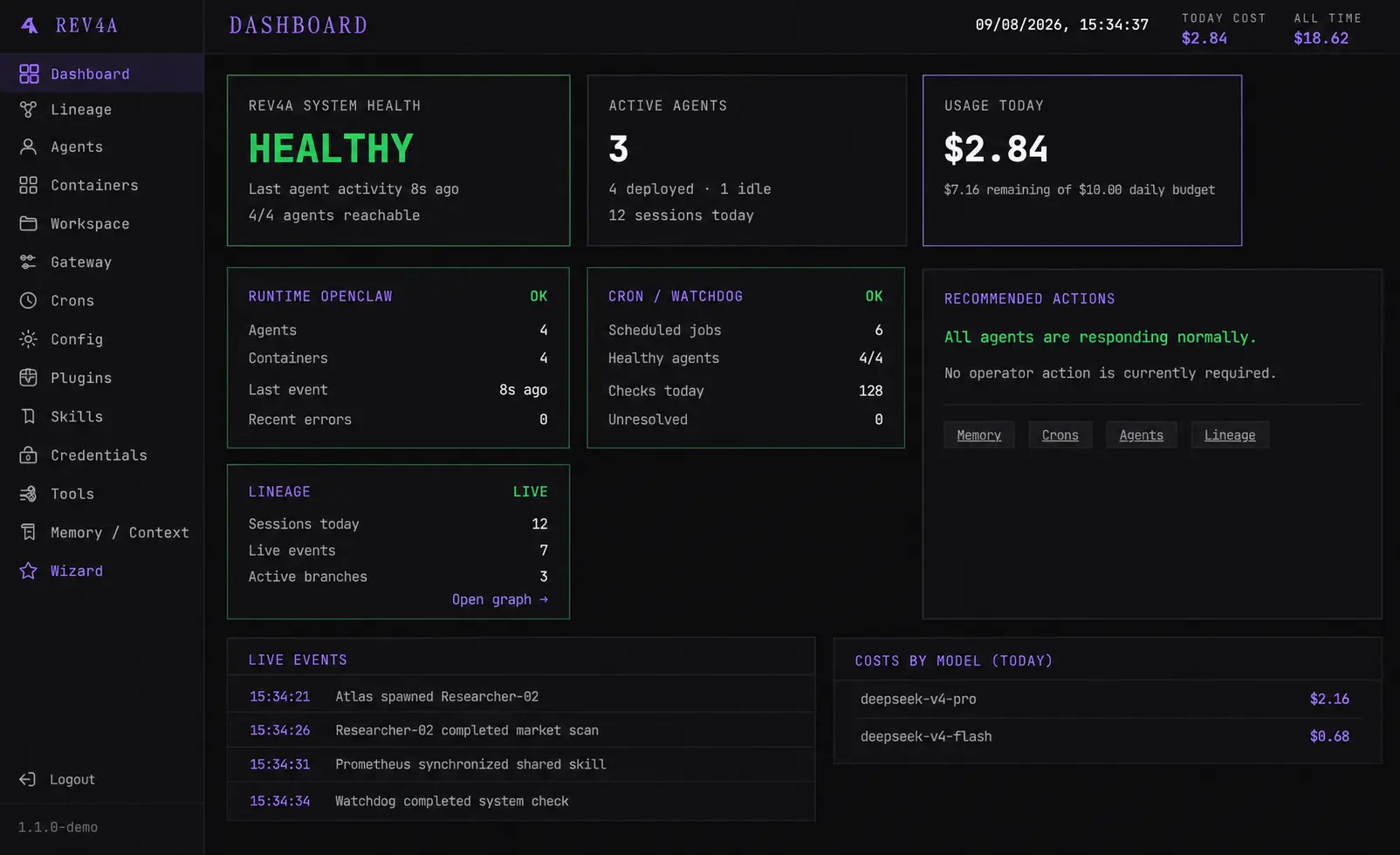
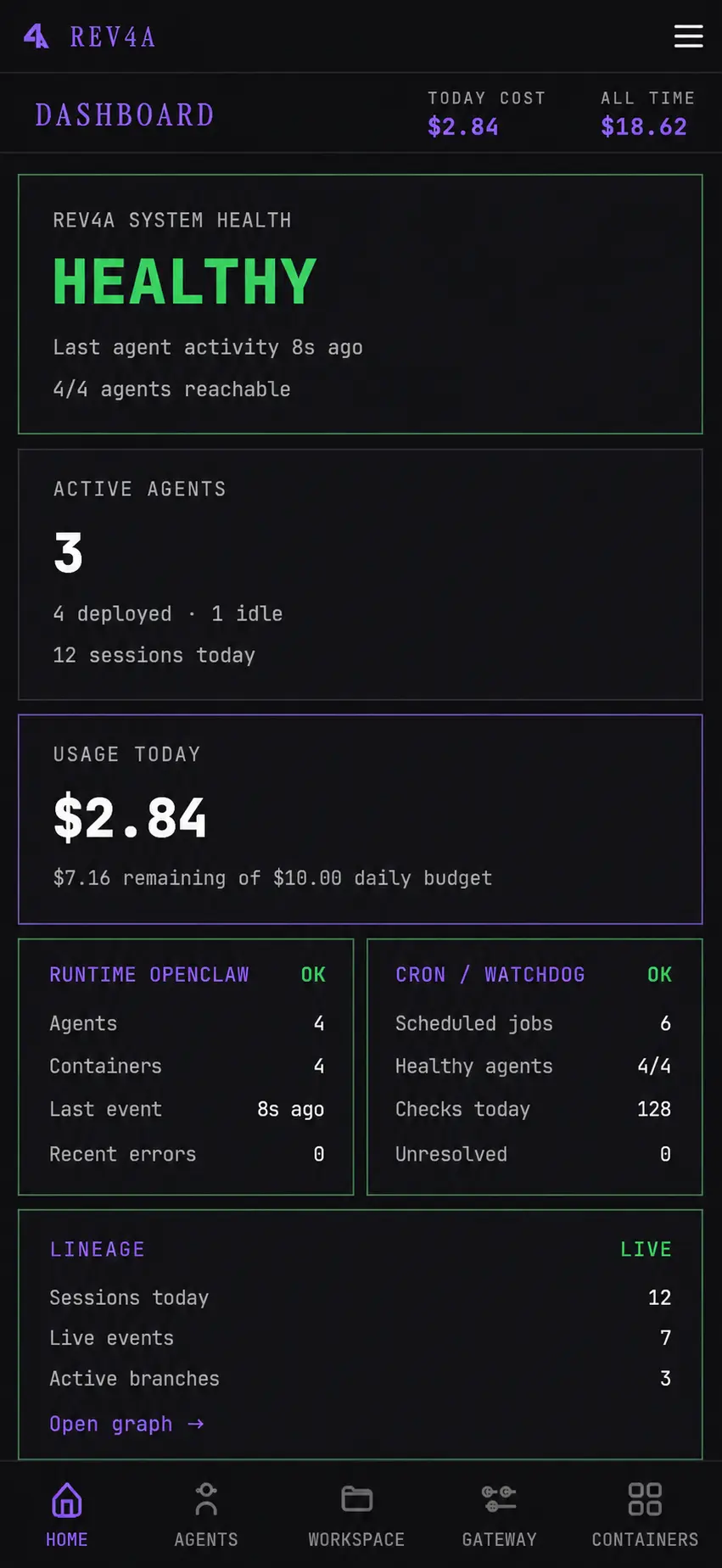
Real-time sessions, status, and resource usage across the whole fleet — on desktop or mobile.

In Beta
Central Maintenance

Restart, back up, restore and recreate agent containers from the dashboard. Update runtime software while preserving persistent agent data.

In Beta
Lineage Graph

An interactive real-time view of sessions, tool calls, sub-agents, costs and dependencies across the fleet.

Coming Next
Cost Tracking

Per-session, per-model, per-day cost reports so you know what your fleet actually costs to run.

Coming Next
Collaborate
Use it alone or with a team
Workspace Browser

Browse and edit each agent workspace directly from the dashboard without SSH.

In Beta
Shared Projects

Controlled shared project volumes will let multiple isolated agents work on the same repository while keeping identities, credentials and private workspaces separate.

Coming Next
Per-Agent Access

Reach any agent from the dashboard, a dedicated link, or a bot. Control who can see and use what.

In Beta
Auto-Supervision

Detect stuck agents, finished or failed sub-agents, and propose fixes automatically.

Coming Next

From a clean VPS to your first working agent
in about 10 minutes.

01
Install Rev4A

Run rev4a serve on a VPS with Node.js and Docker. No PostgreSQL, Redis or external control platform required.

02
Connect providers and credentials

Add an AI provider, enable the models you want and create credential profiles for the tools your agents will use.

03
Create your first agent

Choose a template, primary model and fallback chain. Rev4A creates the isolated container, persistent volume and runtime configuration.

04
Start working

Open the configured agent directly or give its dedicated link to a collaborator. Maintain and observe everything from the dashboard.

Current requirements: Node.js 22+, Docker 24+ and npm 10+. Designed to run on Linux VPS — Debian and Ubuntu-based systems are currently the supported target for the control plane.

The missing operating layer for OpenClaw.

Rev4A currently deploys OpenClaw agents inside isolated Docker containers and adds the setup, credential management, maintenance and visibility required to operate them as a real fleet.

The UX OpenClaw is missing — without locking Rev4A to one runtime forever.

Hermes Agent and additional runtimes are planned next.

Agents coordinate themselves.
You coordinate agents.

Manual
Rev4A
Run multiple agents inside shared installations
One isolated container and persistent volume per agent
Repeat provider and credential setup
Central providers and per-agent credential profiles
Update containers manually
Backup, restore and recreate from one dashboard
SSH into each environment to debug
Terminal, files and logs in the browser
Discover failures after work stops
Fleet-wide visibility with supervision coming next
Your data stays yours

Rev4A is self-hosted. Your data, credentials, agents and workspaces stay on your infrastructure — never on ours. No vendor lock-in, zero external databases, no mandatory SaaS.

What comes after the control plane.

More Runtimes

Hermes Agent and additional containerized agent runtimes.

Coming Next
Shared Projects

Controlled collaborative volumes for multiple isolated agents.

Coming Next
Operational Graph

A real-time view of sessions, tool calls, sub-agents, costs and dependencies.

Coming Next
AI Supervisor

Periodic analysis that detects stuck agents, failed sub-agents and work that stopped progressing.

Coming Next

Today the control plane is designed to run on Linux VPS — the kind you rent in the cloud — on Debian and Ubuntu-based systems. Native desktop apps for Windows, macOS and Linux are planned next, so you can manage your fleet from a graphical interface while still self-hosted on your own infrastructure.

Join the closed beta

We're onboarding a small group of developers and teams to shape and harden rev4a before public launch. Access is by invitation — via a private npm package.

Submitting opens your email client with a pre-filled draft. Nothing is registered until you send it.

Prefer direct contact? help@rev4agents.com

Open-source release (MIT) coming soon